A Document Vault for Your Travel Proof
Day counts say where you were. Documents back them up. Keep your passports, visas, boarding passes and entry stamps in iReside, tied to the days or tracker they support.
What is the iReside Document Vault?
The Document Vault is a place in iReside for the documents behind your day counts: passports, visas, permits, boarding passes, entry stamps and receipts. Each one can be tied to the days or tracker it supports, and you can list them in your reports as evidence.
Adding documents is a Premium feature: it needs an active iReside subscription.
$44.99/year after free trial. Cancel anytime.
Seven document types, so each one is filed the way you would look for it.
- Passport
- Visa
- Permit
- Boarding pass
- Entry stamp
- Receipt
- Other
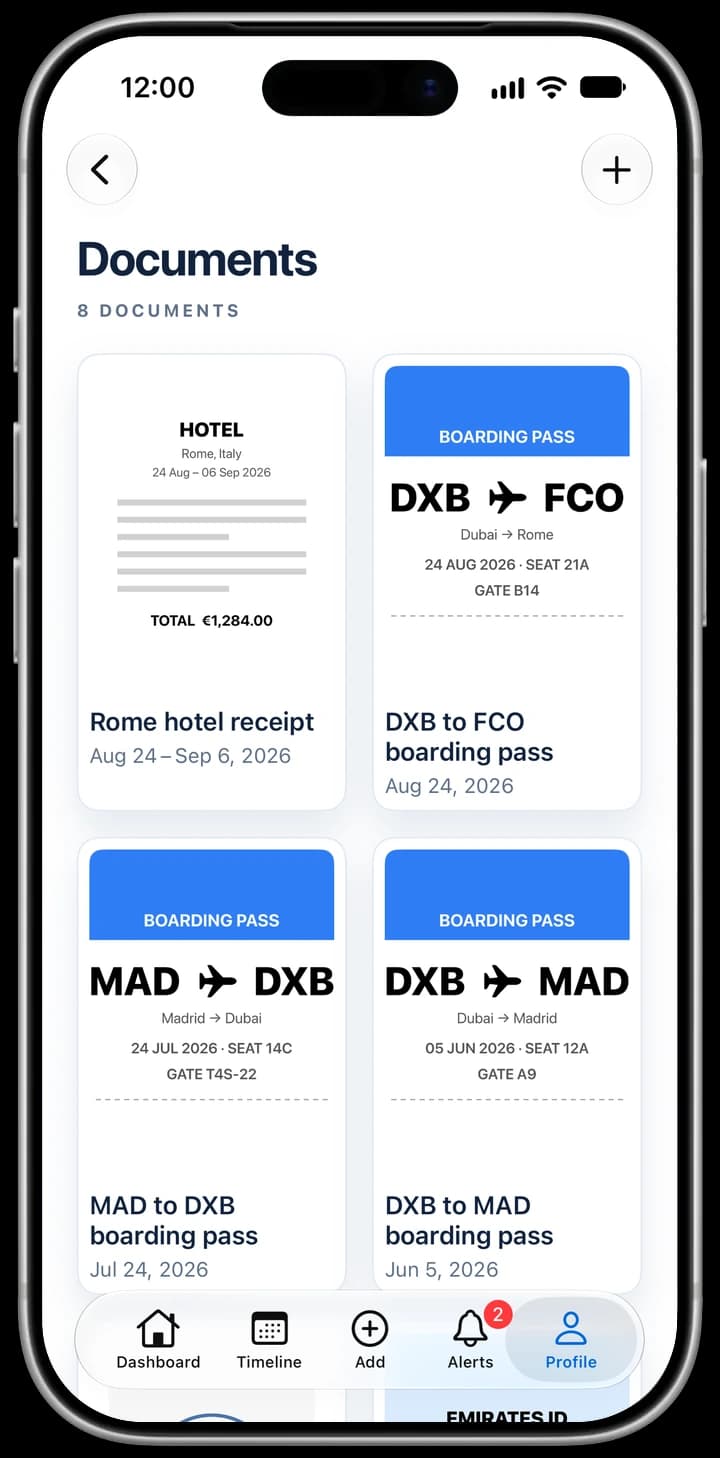
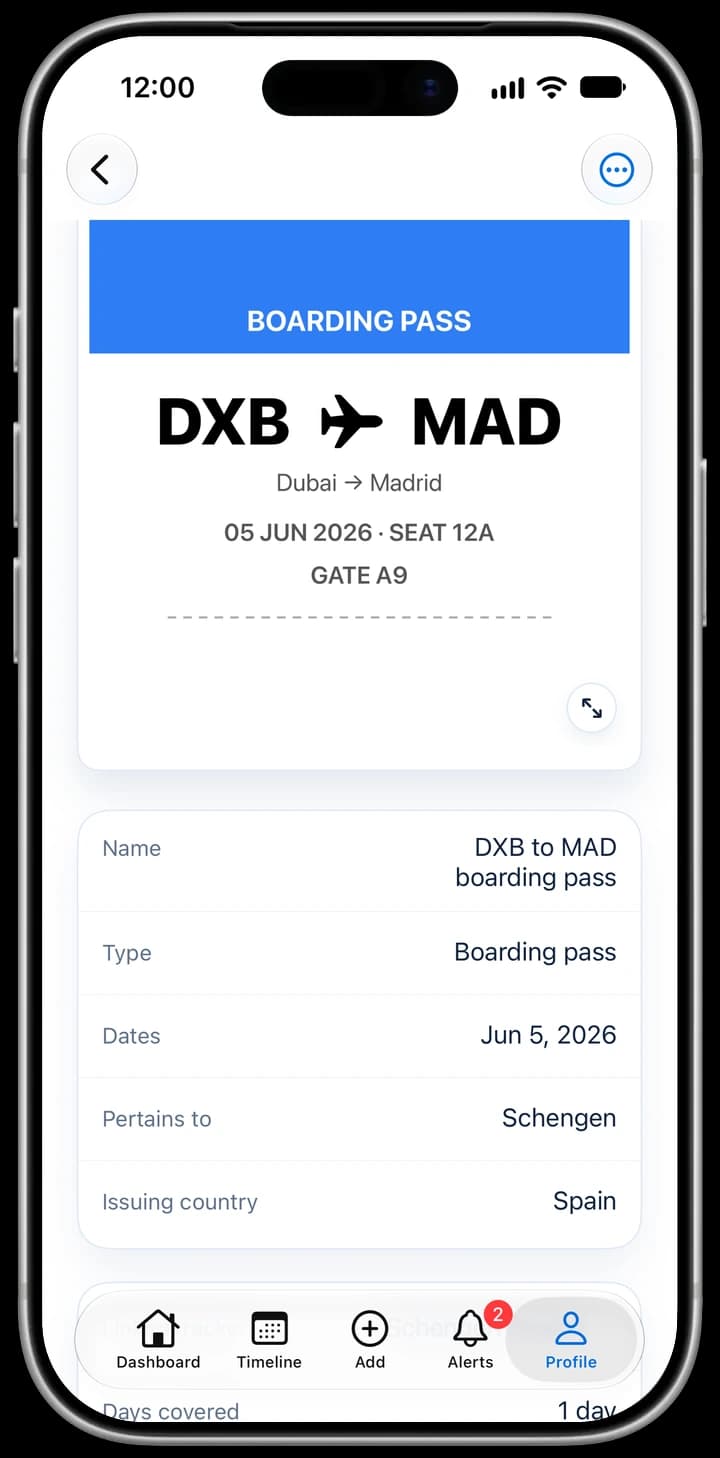
Add a document in seconds
Whatever you have in hand, there is a way in.
Scan it
Use the camera. Edges are found and cropped for you, and several pages become one PDF.
Pick photos
Choose one or more photos from your library. Several become one PDF.
Choose a file
Pick a PDF or an image from Files.
Share from another app
Send a PDF or photo to iReside from the share sheet, then label it in the app.
Apple Wallet boarding pass
Turn a boarding pass from Wallet into a one-page document with the route, flight and date.
Every document points at the days it supports
A document on its own is just a file. In iReside you say what it covers, so it shows up where you need it.
- Link a document to one day or a range of dates
- Link it to a tracker, such as Schengen 90/180 or a 183-day state rule
- Add the issuing country, issue date and expiry date
- Mark whose it is: yours, or someone else's
- Filter the vault by tracker to see the proof for one rule
Never miss an expiry
Give a passport, visa or permit an expiry date and iReside sends an alert when it is about to expire, and again once it has.
Put the proof in the report
When you export a report, turn on List documents to add a numbered index of your documents, with each trip pointing to the documents that prove it. Turn on Include document pages to add the documents' own pages to the PDF. Both are off by default, so a report names no document unless you ask it to.
Document Vault questions
What documents can I add to iReside?
Passports, visas, permits, boarding passes, entry stamps, receipts and anything else you file under Other. Add them by scanning, from your photos, from Files, from another app's share sheet, or from an Apple Wallet boarding pass.
Are documents included in my reports automatically?
No. A report names no document unless you turn on List documents when you export it. Include document pages is a second, separate switch that adds the documents' own pages to the PDF.
Why keep boarding passes and receipts at all?
Inside the Schengen Area there is usually no passport stamp when you cross a border, so other records, such as a boarding pass or a receipt dated that day, can help show where you were. What counts as proof depends on the authority asking, and iReside does not give tax or legal advice.
Can I keep a document for my spouse or child?
Yes. Mark it as someone else's. In a report it is labelled as another person's document, and it is only listed if its dates or a tracker tag bring it in.
Will iReside warn me before a passport or visa expires?
Yes. Add the expiry date and you get an alert when a passport, visa or permit is about to expire, and again when it has.
Is the Document Vault free?
No. Adding documents is a Premium feature and needs an active iReside subscription.
Related
- Import travel data: rebuild past trips from any file
- Visa tracker and Schengen calculator app
- What counts as proof of residency
- Residency change checklist
- Tax residency and visa tracking FAQ
- Best residency tracker apps compared
iReside counts days and keeps records. It is not legal, immigration or tax advice.